

The gym, the road and the wrist. One log.
Oztri logs barbell sets and GPS runs in the same session, counts reps on your Apple Watch, and builds your heart-rate zones from a threshold it measured, not from your age. Then a coach reads all of it and writes what comes next.
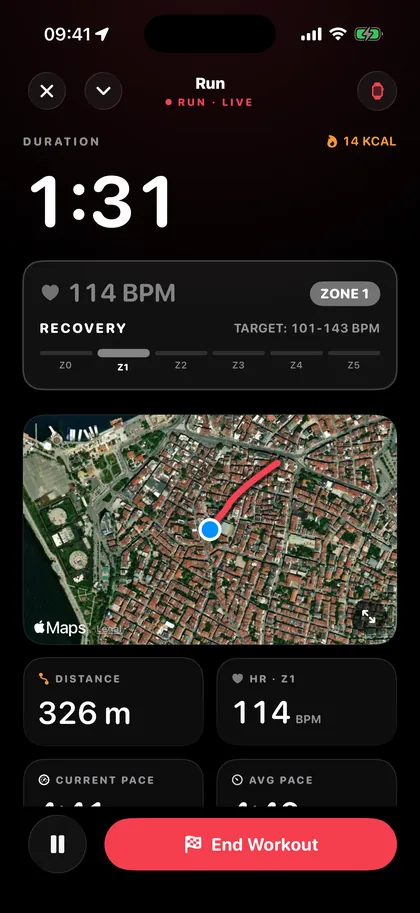
Lift, then run. Same session.
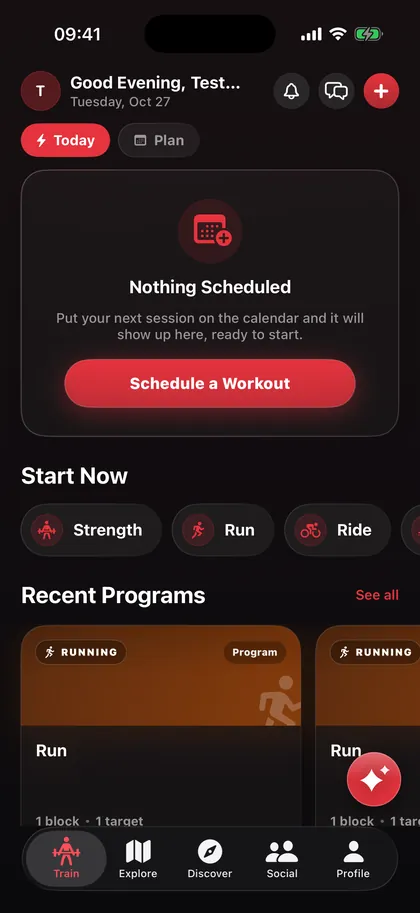
A hybrid plan switches its face block by block: kilos and reps while you're under the bar, pace, distance and a map when you head out the door. The logger works out what each exercise needs, so a run never asks you for a weight.
- Heart rate
- Sent straight from the watch. Anything older than 30 seconds shows a dash, never a stale number.
- Targets
- Intervals can hold a pace band and a heart-rate band at the same time.
- Lock screen
- A Live Activity and spoken cues, so the phone can stay in your pocket.
- Afterwards
- Summary, photos, effort rating and a share card, ready when you stop.
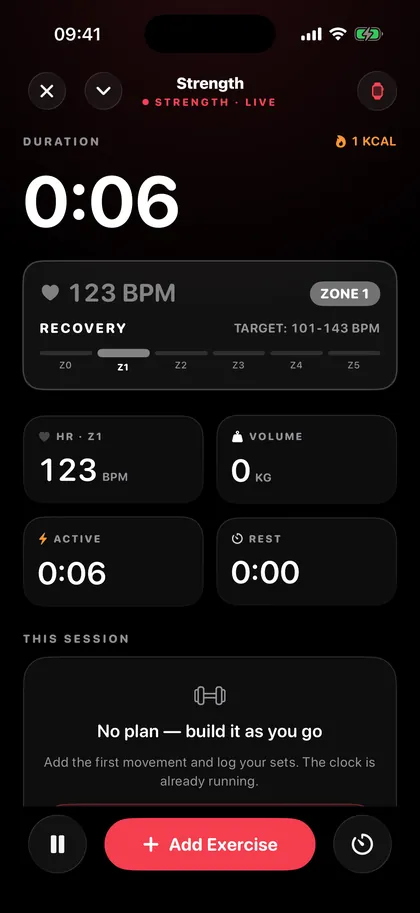
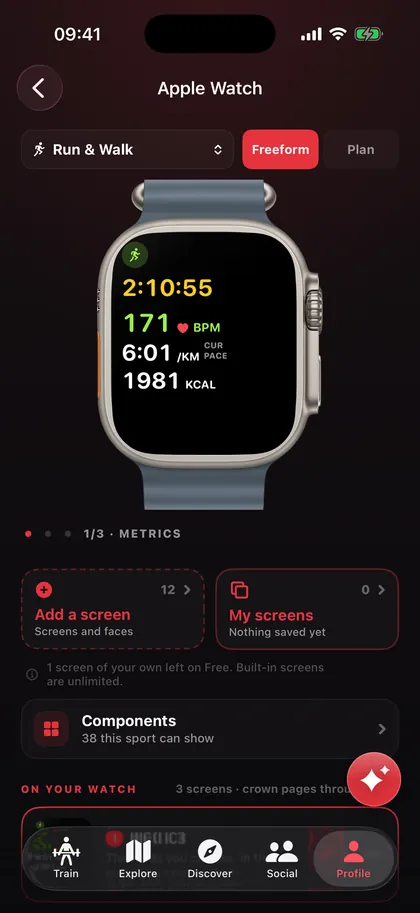
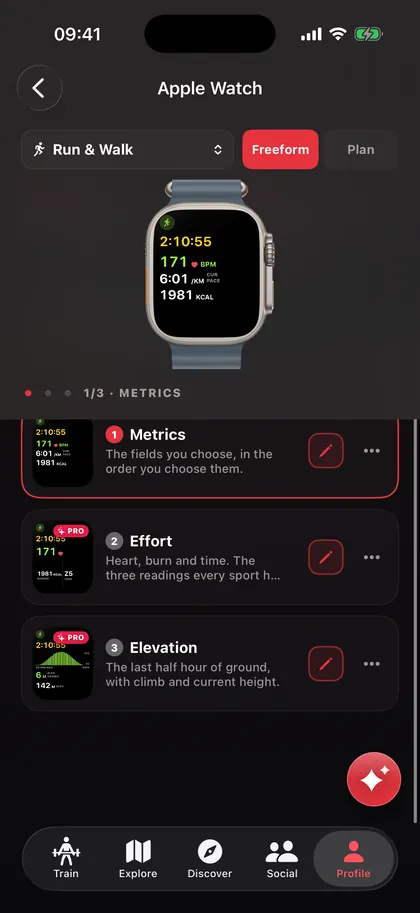
It counts your reps. You design the screen.
Every exercise in the catalogue knows the movement behind it, so the watch can count reps from your wrist. Each set you review teaches it your form. The thresholds are trained for you, not for an average lifter.
- Screens
- Build your own workout screens from every reading the wrist can show, per sport.
- In sync
- Start on the phone, finish on the watch. Both show the same session at the same moment.
- Faces
- Complications for steps, recovery and your training week.
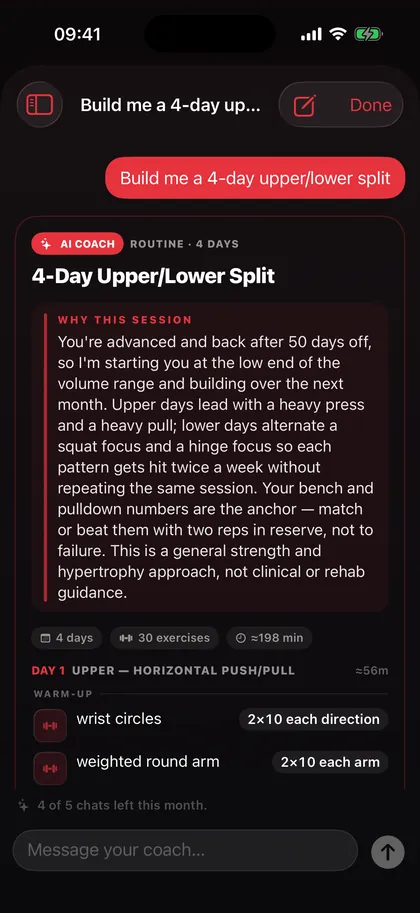
A coach that has read your training log.
Ask it a question and it answers. Ask for a plan and it writes one: a single session or a multi-day routine, for lifting, running, cycling, swimming and the rest of the 27. It knows what you did last week, what you're coming back from, and what your bench actually is.
- Output
- Real workouts, not paragraphs. Save one to your library, put it on the calendar, start it.
- Speed
- Replies stream in as they're written.
- Consent
- Off until you switch it on. Your name, email and location are never sent.
Numbers that say what they're based on.
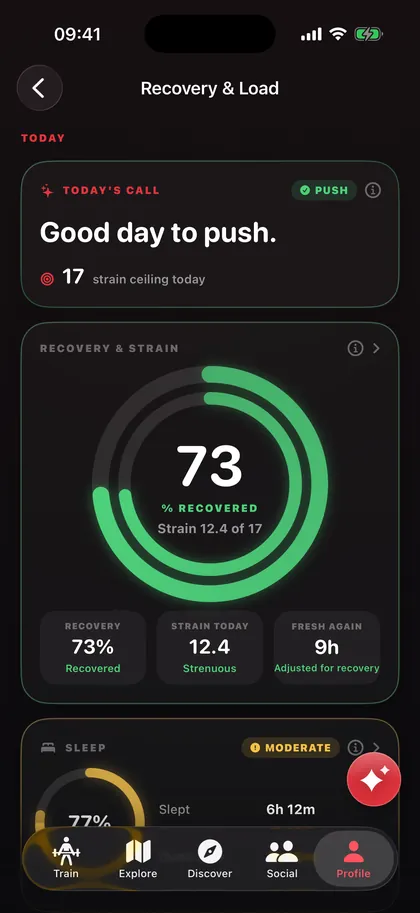
Recovery, strain and sleep each morning, with the reasoning one tap away. When a card is empty it tells you why: “your last session was 12 days ago”, not a grey box.
- Zones
- Built from your measured lactate threshold, the same table on wrist, phone and charts.
- Cardio
- Threshold, heart-rate recovery and aerobic efficiency, including runs from other watches.
- Strength
- Weekly volume per muscle, stalled lifts and a strength forecast.
- Pro
- Injury risk, fitness age and more, read from your own sessions.
Pick a distance. It finds the loop.
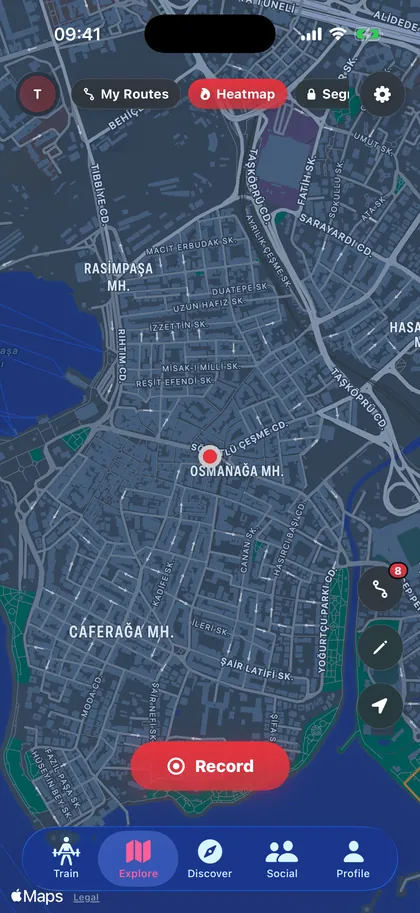
Say how far you want to go and the route generator walks the street graph for a loop, an out-and-back or a point-to-point. No U-turns, no doubling back. Or draw one yourself and turn it into a workout with targets on each stretch.
- Heatmap
- Thin lines along the roads people actually run, building up over time.
- Segments
- Carve a stretch of road into a segment and put it on the map.
- Privacy
- Zones around home and work that your shared routes never show.
And the rest of it.
The parts that don't need a chapter, but you'd notice if they were missing.
Bring your history
Workouts from Apple Watch, Garmin, Whoop, Polar, Coros and Peloton via Apple Health. Apps that only re-post are skipped, so nothing lands twice.
Workouts and routines
Build sessions and multi-day programs with rest days, then schedule a whole block onto the calendar in one go.
Plans from the community
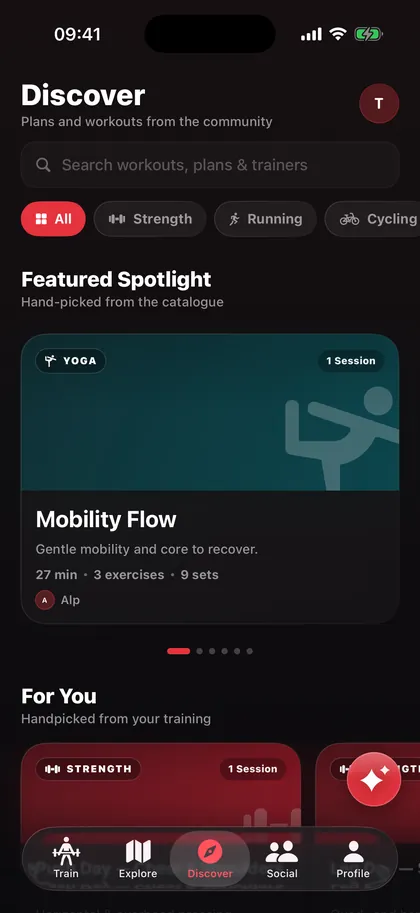
A library of workouts and programs with reviews, plus a For You shelf that learns what you finish.
1,324 exercises
Searchable by muscle, equipment and movement, each with the muscles it works and a way to save favourites.
Feed, profiles, messages
Follow friends, tag them in sessions, compare training passports and send a message without leaving the app.
Achievements
A vault of medals for the milestones worth marking, shown on your profile.
Widgets
Steps, calories, recovery and your training week on the Home Screen and Lock Screen.
Trainer accounts
Trainers build programs and assign them to athletes, who see them next to their own.
Your files, your way
Export sessions as GPX or TCX, and delete your account from inside the app whenever you like.
Have a look around.
Start free.
Pay for the extras.
Free
- Sessions, plans, socialIncluded
- AI coach5 a month
- Analytics history30 days
- Custom watch screens1
- Pro Insights—
- Segments, widgets—
- Route generation—
Premium Most popular
- Everything in FreeIncluded
- AI coach100 a month
- Analytics history90 days
- Custom watch screensUnlimited
- Pro InsightsIncluded
- Segments, widgetsIncluded
- Route generation—
Premium Plus
- Everything in PremiumIncluded
- AI coach300 a month
- Analytics historyAll of it
- Custom watch screensUnlimited
- Pro InsightsIncluded
- Segments, widgetsIncluded
- Route generationIncluded
Prices in GBP and may vary by region. Subscriptions renew through your Apple ID and can be cancelled in Settings.
Questions.
Anything else, write to [email protected] and a person answers.
Which devices does it run on?
iPhone, with an optional Apple Watch app. You don't need a watch to log sessions, but heart rate, rep counting and the custom workout screens come from it.
Is it really free?
Yes. Sessions, plans, the exercise catalogue, social and a small monthly allowance of coach chats are free with no ads. Premium and Premium Plus add the extras listed above, and you can cancel any time in your Apple ID settings.
Can I bring my old workouts?
Anything in Apple Health comes in: Apple Watch, Garmin, Whoop, Polar, Coros, Peloton and more. Duplicates posted by other apps are skipped.
What does the AI coach see?
Nothing until you switch it on. When you do, it reads your training: sessions, sets, runs and recovery. Your name, email and location are never sent to it.
What happens to my data?
It's yours. Export sessions as GPX or TCX, hide your home and work from shared routes, and delete your account from inside the app. The details are in the privacy policy.
Is there an Android version?
Not yet. Oztri is built around Apple Health and Apple Watch, so it's iPhone only for now.
I have a promo code. Where does it go?
On the sign-up screen, under “Have a code?”. It works with email, Apple and Google sign-up, and has to be entered when you create the account.
Bring your people. See them arrive.
Get your own Oztri code for your audience and a dashboard that shows every sign-up it brings in, day by day.
- 1Tell us about your channel. We set up your code and your login.
- 2Share the code. Followers type it when they create their account.
- 3Watch the count at oztri.com/partner, updated live.